In today’s mobile-first world, smartphones are not just tools—they’re the primary medium through which businesses connect with their customers. From browsing products and making purchases to managing services and interacting with brands, mobile experiences define customer perceptions and business success.
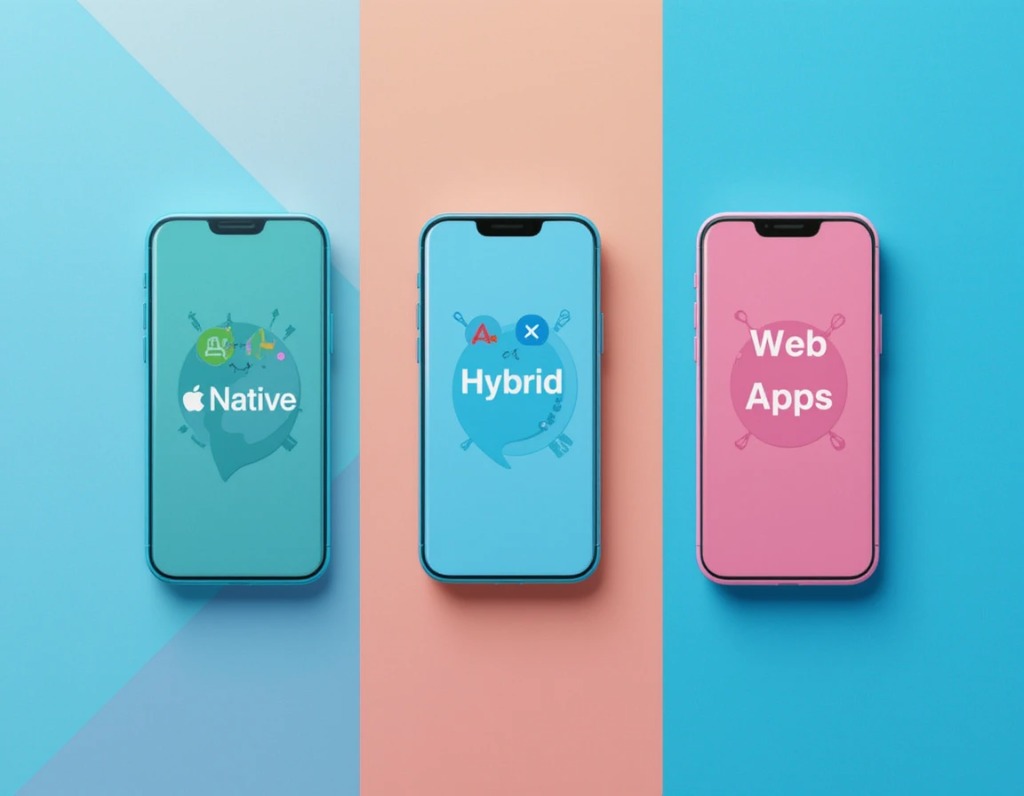
If your organization is planning to develop a mobile app, the first strategic question is not “Do we need one?” but rather “What type of app should we build?” The three main categories—Web, Native, and Hybrid apps—each offer unique advantages and challenges that affect budget, timeline, user experience, and long-term scalability. Choosing the wrong approach can result in wasted investment, poor performance, or missed opportunities.
This comprehensive guide provides a business-oriented comparison of Web vs Native vs Hybrid mobile apps, highlighting practical implications, key metrics, and SEO-friendly insights to help business leaders make informed decisions.
Understanding the Three Approaches
Before delving into costs, performance, or strategic considerations, it’s essential to understand what each type of app entails. Misunderstanding these fundamental differences can lead to unrealistic expectations or poor decision-making.
Web apps, native apps, and hybrid apps represent distinct approaches to development, distribution, and user interaction. While the technical jargon can be confusing, a clear understanding provides a solid foundation for evaluating business impact.
Web Apps: Accessibility and Cost Efficiency
A web app is a browser-based application optimized for mobile devices. Users access it via browsers like Chrome, Safari, or Edge, eliminating the need for downloads or app-store approvals. Progressive Web Apps (PWAs) extend this model by adding offline access, push notifications, and installable home-screen icons, delivering a near-native experience.
From a business perspective, web apps are ideal for organizations that prioritize speed, accessibility, and global reach. They require a single codebase, making development faster and more cost-effective. Updates are instant, as changes occur on the server rather than through app stores, reducing maintenance overhead.
While web apps provide cost efficiency and rapid deployment, businesses must also consider whether performance and user engagement requirements demand a more robust solution. This naturally leads to evaluating native apps, which offer unmatched performance.
Native apps are developed specifically for a single platform—iOS or Android—using the platform’s official programming languages (Swift/Objective-C for iOS, Kotlin/Java for Android). They provide full access to device hardware, such as GPS, cameras, accelerometers, and biometric sensors. This integration enables high-performance experiences, making native apps the preferred choice for applications requiring complex interactions, rich graphics, or real-time functionality.
For businesses, native apps deliver superior user experience, responsiveness, and engagement. They are particularly valuable when performance directly impacts revenue, such as in mobile banking, e-commerce, gaming, or multimedia applications. The trade-off is higher development costs and longer timelines due to separate codebases for each platform.
While native apps excel in performance and UX, not every business requires such deep integration. For companies seeking a balance between cost, speed, and multi-platform reach, hybrid apps provide a compelling alternative.
Hybrid Apps: Combining Flexibility and Efficiency
Hybrid apps combine the best of both worlds. Developers use web technologies like JavaScript, TypeScript, or Dart, wrapped in a native container using frameworks such as React Native, Ionic, or Flutter. Hybrid apps are installed via app stores like native apps but rely largely on a single shared codebase.
For businesses, hybrid apps offer faster development and cost savings while retaining some native functionalities. They are suitable for companies that want cross-platform availability without doubling development efforts, making them ideal for projects with tight budgets or shorter timelines.
With a clear understanding of web, native, and hybrid app structures, we can now analyze key business factors that influence the choice between these options.

Selecting the right type of app goes beyond technical capability. Organizations need to weigh factors such as cost, time-to-market, user experience, scalability, and security to ensure long-term success. Below is a detailed analysis of each factor.
Development Cost & Time-to-Market
Budget and timeline are often primary concerns for businesses.
- Web Apps: Single codebase enables faster development and lower cost. Ideal for companies seeking rapid MVPs or global accessibility.
- Native Apps: Separate codebases for iOS and Android significantly increase both development cost and timeline. Best for organizations prioritizing high performance.
- Hybrid Apps: Moderate cost and time-to-market, providing a compromise between speed and performance.
If your objective is to launch quickly or validate a concept, web or hybrid apps offer the most efficient path. For long-term investment and premium experience, native remains the benchmark.
While cost and timeline are critical, user engagement is equally important. Let’s explore performance and user experience next.
Performance & User Experience
Performance metrics such as time-to-interactive, load speed, and animation smoothness can influence user retention and revenue.
- Native Apps: Provide superior responsiveness, 60 fps animations, and full hardware integration. Essential for applications with complex functionality or multimedia requirements.
- Web Apps: PWAs improve experience but are still constrained by browser capabilities, affecting graphics-intensive or sensor-heavy interactions.
- Hybrid Apps: Frameworks like Flutter or React Native achieve near-native performance, but high-complexity apps may reveal limitations.
If performance drives revenue and engagement, native apps are usually the safest choice. Hybrid apps can deliver acceptable performance for most business-oriented solutions.
Beyond performance, the ease of maintenance and updates also impacts total cost of ownership and operational efficiency.
Keeping an app functional and secure requires ongoing maintenance.
- Web Apps: Instant updates on the server side; users experience changes immediately.
- Native Apps: Updates require app-store approval, and users must download them, slowing iteration.
- Hybrid Apps: Simplified codebase reduces effort, but store submissions remain necessary for major updates.
For businesses with frequent feature releases, web or hybrid apps provide operational advantages, allowing faster responses to market demands.
In addition to operational considerations, businesses must consider scalability and future-proofing to accommodate growth.
Scalability & Future-Proofing
A mobile app should support business growth over time.
- Web Apps: Easy to scale globally but may lack access to new device features.
- Native Apps: Full control over platform capabilities allows adaptation to future technologies.
- Hybrid Apps: Moderate scalability; compatibility with new device APIs may lag behind native apps.
For long-term investments requiring advanced features, native apps offer the strongest future-proofing.
Security is another critical factor, particularly for industries managing sensitive information.
Security Considerations
Security impacts brand trust, regulatory compliance, and user adoption.
- Native Apps: Leverage OS-level security, encrypted storage, and biometrics.
- Web Apps: Depend on secure protocols (HTTPS) and server-side protection.
- Hybrid Apps: Mixed security; requires careful coding practices and periodic audits.
For industries like finance, healthcare, or enterprise software, native or well-secured hybrid apps are the preferred choice.
With these considerations in mind, the next section presents a quick reference comparison to simplify decision-making.
Pros & Cons at a Glance
When presenting options to stakeholders, clarity is essential. This table condenses the pros and cons for fast executive review:
| Factor |
Web App |
Native App |
Hybrid App |
| Development Cost |
Low, single codebase |
High, separate codebases |
Moderate, mostly shared code |
| Time to Market |
Fast, immediate deployment |
Slow, dual-platform development |
Moderate, faster than native |
| Performance |
Limited by browser |
Excellent, full hardware integration |
Near-native, framework-dependent |
| User Experience |
Good, improving with PWAs |
Best, platform-specific UI/UX |
Good, can approach native |
| Maintenance |
Instant updates |
Requires app-store approvals |
Easier than native, still needs store submission |
| Offline Capability |
Limited (PWAs better) |
Strong |
Good |
| Security |
Web-based protocols |
Strong OS-level protection |
Mixed, needs best practices |
While the table simplifies comparisons, decision-making often requires a structured framework to align app choice with business goals and future strategy.
Decision Framework for Businesses
Businesses should ask targeted questions to match app type with objectives:
- Project Goals: Rapid validation or premium experience?
- Budget & Timeline: Limited budget favors web/hybrid; long-term ROI favors native.
- User Expectations: Are users expecting downloads or browser access?
- Future Roadmap: Will advanced features or sensors be required?
Answering these clarifies whether web, hybrid, or native aligns with your strategy.
With a decision framework established, it’s useful to examine emerging trends shaping mobile app development.
Emerging Trends You Shouldn’t Ignore
The mobile ecosystem evolves rapidly. Businesses that ignore trends risk creating apps that feel outdated soon after launch.
- Progressive Web Apps (PWAs): Deliver offline functionality, push notifications, and home-screen installation.
- Cross-Platform Frameworks: Flutter and React Native continue narrowing the performance gap with native apps.
- 5G Connectivity: Faster networks enhance web and hybrid app performance.
- AI & Machine Learning: Native apps are often required for real-time AI processing and advanced analytics.
Understanding trends ensures the chosen app type remains competitive. Coupled with SEO strategy, this prepares your business for growth.
SEO Insights & Keyword Strategy

Search visibility drives app discovery. High-volume keywords such as “web vs native app,” “native vs hybrid mobile apps,” “progressive web app development,” “hybrid mobile app framework,” and “best mobile app strategy” should be integrated naturally into content marketing, landing pages, and technical blogs.
Optimized content like this article ensures that decision-makers searching for mobile app solutions can easily find and engage with your company.
Armed with technical knowledge, business factors, trends, and SEO insights, businesses can make confident, informed decisions about mobile app development.
Conclusion: Choosing the Right Path
Selecting the right type of app is a strategic business decision:
- Web Apps: Fast, low-cost, accessible; ideal for MVPs and global reach.
- Native Apps: High-performance, scalable, future-proof; ideal for premium experiences.
- Hybrid Apps: Balanced solution, moderate cost, cross-platform reach.
Many organizations adopt a phased approach: start with web or hybrid to validate demand, then migrate to native for full-featured offerings.
Ready to Build the Right App?
Whether you envision a Progressive Web App, a high-performance Native App, or a flexible Hybrid App, choosing the right development partner is essential.
Bantech specializes in custom mobile app development, offering end-to-end services from strategy to deployment and ongoing support. Our team combines traditional craftsmanship with forward-thinking innovation to ensure your app not only launches successfully but grows with your business.
Contact us today to discuss your project and discover which approach—web, native, or hybrid—will power your business forward.
FAQs
In today’s digitally connected world, mobile applications have become an essential bridge between businesses and their customers. Whether it’s shopping online, checking a bank balance, ordering food, or booking a taxi, apps have reshaped consumer behavior and set new standards for convenience. But when businesses decide to build a mobile app, one of the very first—and often most critical—questions they face is: What type of app should we build?
The three dominant approaches—web apps, native apps, and hybrid apps—each offer their own advantages, limitations, and best-use scenarios. Choosing the right one isn’t just a matter of technical preference; it directly affects user experience, performance, cost, and long-term scalability.
In this article, we’ll explore the main differences between web, native, and hybrid apps, breaking down their technical foundations, benefits, drawbacks, and practical applications. By the end, you’ll have a clear roadmap to decide which approach best aligns with your business goals.
The Rise of Mobile App Ecosystems
Before diving into comparisons, it’s worth noting how mobile apps have evolved.
- Early 2000s: Mobile apps were basic and limited, mostly running on Java-based feature phones.
- 2007 onward: Apple’s App Store and Google Play redefined how users discovered and installed apps. This sparked the rise of native app development, which promised optimized performance and rich features.
- 2010s: The demand for faster development and cross-platform compatibility introduced hybrid apps, built once and deployed across multiple platforms.
- Today: With responsive design, progressive web apps (PWAs), and advanced frameworks, web apps have regained ground, especially for businesses that prioritize accessibility without app store restrictions.
What is a Web App?
A web app is essentially a website optimized to behave like a mobile application. It runs inside a browser (such as Chrome, Safari, or Firefox) and doesn’t require installation from an app store. Users simply access it through a URL.
Characteristics of Web Apps
- Accessibility: Accessible from any device with a browser, eliminating the need for installation.
- Cross-Platform Compatibility: Works across various operating systems without modifications.
- Maintenance: Server-side updates ensure that all users access the latest version automatically.
Advantages of Web Apps
- Lower Development Costs: Build once, deploy everywhere.
- Faster Updates: No need to wait for app store approvals.
- Universal Reach: Works on desktops, tablets, and smartphones alike.
- SEO Benefits: Unlike native apps, web apps can be indexed by search engines.
Limitations of Web Apps
- Performance Gaps: Slower compared to native apps, especially for graphics-intensive tasks.
- Limited Access to Device Features: Can’t fully utilize hardware like GPS, camera, or sensors.
- User Experience Constraints: Lacks the polish and responsiveness of native apps.
Best Use Cases: Content-driven platforms, e-commerce stores, online booking portals, and SaaS dashboards.
What is a Native App?
A native app is built specifically for a particular platform (iOS, Android, Windows) using the platform’s official programming languages and tools. For example, iOS apps are built with Swift/Objective-C, while Android apps use Java/Kotlin.
What is a Native App?
Characteristics of Native Apps
- Optimized Performance: Since they’re tailored for a single operating system, they run seamlessly.
- Full Access to Device Features: Can leverage hardware like cameras, GPS, and push notifications.
- Distribution via App Stores: Users download from Google Play or Apple App Store.
Advantages of Native Apps
- Superior User Experience: Smooth navigation, faster load times, and polished UI/UX.
- Offline Capabilities: Many native apps function without internet connectivity.
- Enhanced Security: Platform-specific security protocols reduce vulnerabilities.
- Better Performance: Ideal for gaming, AR/VR, or heavy-data apps.
Limitations of Native Apps
- Higher Development Costs: Separate codebases for iOS and Android.
- Longer Development Time: Each version needs to be built and tested independently.
- App Store Dependency: Updates require approval, delaying rollouts.
Best Use Cases: Banking apps, ride-hailing platforms, social media networks, and performance-heavy apps like games.
What is a Hybrid App?
A hybrid app combines elements of both web and native apps. Developers use web technologies (HTML, CSS, JavaScript) but package the app inside a native container. This allows it to be installed via app stores and still access certain device features. Popular frameworks include Ionic, React Native, and Flutter.
Characteristics of Hybrid Apps
- Single Codebase: Write once, run across platforms.
- App Store Presence: Like native apps, they’re downloadable.
- Moderate Performance: Better than web apps, but not as seamless as native apps.
Advantages of Hybrid Apps
- Cost-Effective: One codebase reduces development and maintenance expenses.
- Faster to Market: Shorter development cycles compared to native.
- Access to Device Features: Thanks to native wrappers.
- Wider Reach: Available on multiple platforms simultaneously.
Limitations of Hybrid Apps
- Performance Lag: May not handle complex animations or heavy graphics well.
- User Experience Variability: Can feel less polished than native apps.
- Dependency on Frameworks: Long-term viability depends on third-party tools staying updated.
Best Use Cases: Startups, MVPs (Minimum Viable Products), cross-platform utilities, and apps with limited budgets.
| Factor |
Web Apps |
Native Apps |
Hybrid Apps |
| Installation |
Browser-based, no installation |
Installed via app stores |
Installed via app stores |
| Performance |
Moderate, browser-limited |
Excellent, optimized per platform |
Moderate to good |
| Development Cost |
Lowest |
Highest |
Medium |
| Time to Market |
Fast |
Long |
Faster than native |
| Device Access |
Limited |
Full |
Partial (via native plugins) |
| Maintenance |
Simple, centralized |
Complex, per platform |
Easier than native, harder than web |
| Best For |
Content apps, e-commerce, SaaS |
Games, banking, social platforms |
Startups, MVPs, cross-platform apps |
Choosing the Right Approach: Key Considerations
When deciding between web, native, or hybrid apps, businesses must weigh their priorities carefully:
- Budget & Resources – If you’re constrained by cost, web or hybrid may be more practical.
- Target Audience – If most of your users are on a specific platform, native may deliver the best experience.
- Performance Needs – High-performance apps (gaming, AR) should go native.
- Time to Market – If you need to launch quickly, hybrid apps or web apps provide faster rollout.
- Scalability & Longevity – Consider how often you’ll need to update or add features.
Future Trends Blurring the Lines
Interestingly, the boundaries between these app types are becoming less distinct:
- Progressive Web Apps (PWAs): Web apps that behave like native apps, complete with offline support and push notifications.
- Cross-Platform Frameworks: Tools like Flutter and React Native are making hybrid apps feel closer to native.
- Cloud and Edge Computing: Boosting web app capabilities with faster, localized performance.
This evolution signals that businesses won’t just choose one path forever. Instead, they may start with one approach (like hybrid for MVPs) and later shift to native or PWA as their audience grows.
Conclusion: Setting the Stage for What’s Next
Web, native, and hybrid apps each represent different philosophies in mobile app development. Web apps emphasize accessibility and speed, native apps maximize performance and user experience, and hybrid apps strike a balance between cost-effectiveness and reach.
Ultimately, the choice depends on your business goals, resources, and the experience you want to deliver to your users. What matters most is not following trends blindly, but aligning your app strategy with your brand’s long-term vision.
As we move forward, the conversation naturally shifts from “Which type of app should we build?” to “How do we ensure our app stays relevant in a fast-changing digital world?” This leads us into the next discussion: app development strategies that future-proof your digital presence.
Mobile applications have become the primary interface for users to interact with brands, services, and products. Whether it’s shopping, banking, gaming, or social media, users expect apps to be fast, intuitive, and visually engaging. Performance and user experience (UX) are no longer optional—they directly determine whether an app succeeds or fails.
However, not all apps are created equal. Depending on whether a business chooses a web app, native app, or hybrid app, the performance and UX can vary widely. Choosing the right app type is crucial for achieving the right balance between speed, usability, and cost.
This article explores how performance and user experience differ across app types, highlighting their strengths, limitations, and ideal use cases.
Why Performance and User Experience Matter
The performance of an app and its UX are intertwined. A slow or unresponsive app frustrates users, while a smooth, intuitive experience encourages engagement and loyalty.
Performance impacts how quickly an app loads, how responsive it feels, and how efficiently it utilizes device resources. UX determines how easy and enjoyable the app is to use, including navigation, design, and accessibility.
Key considerations:
- Loading Speed: Faster apps retain more users; delays increase drop-off rates.
- Responsiveness: Smooth animations and interactions improve perceived performance.
- Visual Appeal: Clean, intuitive interfaces strengthen brand perception.
- Hardware Integration: Access to camera, GPS, sensors, and other device features enhances functionality.
Understanding these factors helps in evaluating web, native, and hybrid apps, and their implications for both performance and UX.
Web Apps: Accessibility at a Low Cost
Web apps are browser-based applications that don’t require installation. They are cost-effective and accessible but have certain performance and UX limitations.
Performance and UX Overview
Web apps rely on browsers, making them less efficient than native apps. Server-side processing and internet dependency can introduce latency. Complex animations and high-performance tasks may run slower.
Despite these limitations, web apps offer wide accessibility and instant updates. They are ideal for applications where budget is limited or rapid deployment is required.
Benefits of Web Apps:
- Low development and maintenance costs
- Works on almost any device with a browser
- No installation needed for users
- Instant updates with no approval delays
Limitations:
- Performance depends on browser and network speed
- Limited offline functionality
- Restricted access to device hardware (camera, GPS, sensors)
- UX can feel less polished compared to native apps
Ideal Use Cases:
- Content-driven apps (news portals, blogs)
- E-commerce storefronts with standard features
- Early-stage MVPs to validate market demand
Web apps are excellent for reaching a wide audience quickly, but they are not ideal for apps requiring high performance or complex interactions.
Native Apps: Maximum Performance and Immersive Experience
Native apps are built specifically for a platform, such as iOS or Android, using platform-specific programming languages like Swift, Kotlin, or Java.
Performance and UX Overview
Native apps are optimized to run directly on a device’s operating system, providing superior speed and responsiveness. They can efficiently handle graphics, animations, and offline functionality. Access to device hardware allows advanced features such as AR, GPS, and push notifications.
Benefits of Native Apps:
- Optimized for maximum speed and performance
- Immersive, polished UX aligned with platform design standards
- Full access to device hardware and sensors
- Offline functionality possible
- High credibility and discoverability via app stores
Limitations:
- Higher development costs (separate builds for iOS and Android)
- Longer time-to-market
- Higher maintenance effort for updates across platforms
Ideal Use Cases:
- Gaming and AR/VR apps
- Banking, finance, and security-sensitive applications
- Media-heavy apps (photo/video editing, streaming)
- Apps requiring top-tier performance and UX
Native apps offer the best overall experience, but businesses must balance development and maintenance costs against the potential revenue or engagement benefits.
Hybrid Apps: A Middle Ground
Hybrid apps combine the advantages of web and native apps. They are built using web technologies (HTML, CSS, JavaScript) but run inside a native container, allowing installation and partial access to device hardware.
Performance and UX Overview
Hybrid apps provide moderate performance and a consistent experience across platforms. Their speed and responsiveness are generally lower than native apps, but higher than traditional web apps. Advanced device access may require third-party plugins, which can impact stability and performance.
Benefits of Hybrid Apps:
- Single codebase works across multiple platforms
- Faster development and lower cost than native apps
- Consistent UI and UX across devices
- Installable via app stores for credibility
Limitations:
- Slightly lower performance and UX compared to native apps
- Reliance on plugins for accessing hardware features
- Animations and interactions may feel less smooth
- Complex apps may face performance challenges
Ideal Use Cases:
- MVPs and startups testing market fit
- Utility apps requiring moderate UX and functionality
- Businesses seeking a balance between cost, speed, and platform reach
Hybrid apps provide a strategic compromise, allowing companies to reach multiple platforms quickly without fully investing in native development.
Comparing Performance and UX Across App Types
Understanding the strengths and limitations of each app type allows businesses to make informed decisions.
Web Apps:
- Pros: Low cost, wide accessibility, easy updates
- Cons: Lower performance, limited offline and hardware features
Native Apps:
- Pros: Superior performance, immersive UX, full hardware access
- Cons: High cost, longer development, higher maintenance
Hybrid Apps:
- Pros: Cross-platform reach, moderate performance, faster development
- Cons: Slightly lower UX than native, plugin-dependent hardware access
Additional factors influencing performance and UX include code quality, backend infrastructure, app size, network optimization, and user interface design. Even web or hybrid apps can approach native-level UX if optimized properly.
Choosing the Right App Type
The choice of app type should balance performance, user experience, budget, and target audience.
Considerations:
- Native apps: Best for premium UX, high performance, and advanced features
- Web apps: Suitable for budget-conscious projects, content-heavy platforms, and MVPs
- Hybrid apps: Ideal for cross-platform reach with moderate performance
A common strategy is to start with a web or hybrid app to validate the market, then scale to native development for high-value users.
Conclusion: Making the Trade-Offs Work
Choosing the right type of mobile app—web, native, or hybrid—is not just a technical decision; it is a strategic one that directly impacts user satisfaction, engagement, and long-term business success. Each app type presents unique trade-offs in performance, user experience, development cost, and scalability.
Web apps excel in accessibility and cost-efficiency, making them ideal for content-driven platforms, e-commerce storefronts, and early-stage MVPs. They allow businesses to reach a wide audience quickly with minimal investment, but their reliance on browsers and limited device integration can restrict advanced functionalities and reduce the perceived speed of interactions.
Native apps, in contrast, deliver unparalleled performance and immersive user experiences. Optimized for specific platforms, they handle graphics-intensive operations seamlessly, integrate deeply with device hardware, and offer offline functionality. This makes them perfect for gaming, media-rich applications, banking, and AR/VR experiences. However, the higher cost and longer development cycles necessitate careful planning to ensure ROI.
Hybrid apps occupy a middle ground, offering the flexibility of a single codebase while enabling deployment across multiple platforms. While they may not achieve the same level of speed and polish as native apps, hybrid solutions are an excellent choice for startups and businesses that require cross-platform reach without the substantial investment native development demands. Proper framework selection and optimization can significantly improve performance and user experience, sometimes bringing hybrid apps close to native-level quality.
Ultimately, businesses must evaluate their goals, target audience, and feature requirements to determine the most suitable approach. Factors such as code quality, backend infrastructure, UI design, and network optimization can further influence the real-world performance and UX, sometimes offsetting the inherent limitations of a given app type.
Looking ahead, emerging technologies like progressive web apps (PWAs), cross-platform frameworks such as Flutter and React Native, and cloud-based optimization are blurring the lines between app types. These innovations are enabling developers to deliver near-native performance and rich user experiences across platforms, reducing the need for businesses to compromise between cost, reach, and quality.
For decision-makers, the key takeaway is that app strategy must be holistic. It should account not only for the immediate development and deployment costs but also for long-term user engagement, scalability, and the potential for future enhancements. By aligning app type selection with business objectives, target user behavior, and evolving technology trends, companies can create applications that not only perform efficiently but also delight users consistently, building loyalty and driving sustained growth.
The natural next step is to explore how businesses can optimize their app development strategy to balance cost, performance, and UX, ensuring that the chosen app type maximizes both user satisfaction and ROI.
In today’s fast-moving digital landscape, time-to-market has become a critical factor for businesses launching mobile applications. Companies cannot afford prolonged development cycles while their competitors capture market share. Rapid development and deployment allow businesses to validate ideas, gather user feedback, and iterate faster.
However, not all app types are equally suited for rapid development. Whether a business opts for web apps, native apps, or hybrid apps, the speed of development, ease of deployment, and maintenance requirements can vary significantly. Understanding which app type aligns with the goals of quick deployment is essential for startups, SMEs, and even large enterprises aiming to stay competitive.
This article delves into the strengths and limitations of each app type in terms of rapid development and deployment, helping decision-makers choose the right approach.
Understanding the Importance of Rapid Development and Deployment
Rapid development is more than just coding fast—it is about delivering functional applications in a way that meets user expectations, while maintaining quality and scalability. Deployment speed ensures that the application reaches the intended users without unnecessary delays.
Businesses today require agility, especially in highly competitive markets. Rapid development allows for:
- Early market entry, gaining a competitive edge
- Faster feedback loops for refining features
- Lower initial development costs through MVPs
- Quick iteration to meet changing user needs and market trends
While all app types—web, native, and hybrid—can be developed with some level of agility, the choice directly impacts the speed of development, required resources, and future maintenance challenges.
Web Apps: Fastest Route to Market
Web apps, essentially browser-based applications, are often the quickest to develop and deploy. They don’t require installation through app stores and are accessible on any device with a browser.
Intro to Web Apps
The primary advantage of web apps is accessibility. Businesses can build a single application and immediately deliver it to a global audience without worrying about platform-specific requirements. This makes web apps particularly suitable for MVPs, content-driven platforms, and services needing fast rollout.
Content and Benefits
Web apps are developed using standard web technologies such as HTML, CSS, and JavaScript. Frameworks like React, Angular, and Vue.js further accelerate development by providing reusable components and modular architecture. Since they run in browsers, there is no app store review process, eliminating deployment delays.
Key Advantages of Web Apps for Rapid Deployment:
- Single codebase works across devices and platforms
- No app store approval required for deployment
- Reduced initial development cost
- Instant updates and fixes without requiring user action
- Easy scalability using cloud services and CDNs
Limitations to Consider:
- Limited access to device hardware such as camera, GPS, and sensors
- Dependent on internet connectivity for core functionality
- Performance can lag behind native apps for complex interactions
Ideal Use Cases:
- MVPs for market validation
- E-commerce platforms and online marketplaces
- Content-rich applications such as blogs, portals, and SaaS tools
The speed of web app development and deployment makes them the go-to choice for companies that want to test ideas quickly, gather feedback, and iterate without significant upfront investment.
Native Apps: Performance-Driven Development with Longer Timelines
Native apps are designed specifically for a platform, such as iOS or Android, using languages like Swift, Kotlin, or Java. While they offer the highest performance and UX, rapid development can be more challenging due to platform-specific requirements.
Intro to Native Apps
Native app development typically involves creating separate versions for each platform. While modern development tools and SDKs have improved efficiency, the need for distinct codebases increases time-to-market compared to web or hybrid apps.
Content and Considerations
Native apps provide unparalleled performance, offline functionality, and full access to device hardware. They are ideal for applications requiring complex interactions, graphics-intensive features, or advanced integrations. However, this depth of functionality comes with longer development cycles.
Pros of Native Apps:
- Optimized for high performance and responsiveness
- Full access to device features like AR, sensors, and push notifications
- Superior UX and polished interfaces
- App store presence adds credibility and discoverability
Challenges for Rapid Deployment:
- Separate development for iOS and Android increases time and cost
- Longer QA and testing cycles due to platform-specific requirements
- Deployment depends on app store review processes
- Maintenance and updates require synchronized changes across platforms
Ideal Use Cases:
- Gaming and AR/VR applications
- Banking, finance, or security-sensitive apps
- Media-heavy apps (photo/video editing or streaming)
Native apps are generally not the fastest route to market, but for businesses prioritizing high performance and UX over speed, they remain unmatched.
Hybrid Apps: The Strategic Middle Ground
Hybrid apps combine elements of web and native apps. They are built using web technologies but run inside a native container, allowing deployment across multiple platforms with a single codebase.
Intro to Hybrid Apps
Hybrid apps are increasingly popular for businesses seeking to balance rapid development with moderate performance and cross-platform reach. Frameworks like React Native, Flutter, and Ionic allow developers to write once and deploy to iOS and Android simultaneously.
Content and Benefits
Hybrid apps enable companies to launch functional apps faster than building separate native apps for each platform. While performance may not fully match native apps, careful optimization ensures a smooth user experience for most use cases.
Key Advantages of Hybrid Apps for Rapid Deployment:
- Single codebase for multiple platforms
- Faster development and testing compared to native apps
- Access to basic device hardware features through plugins
- Easier maintenance and updates across platforms
Limitations:
- Performance slightly lower than native apps, especially for graphics-intensive features
- Plugin dependency can affect stability and device access
- UX may not fully align with platform-specific design guidelines
Ideal Use Cases:
- MVPs that need cross-platform reach
- Startups testing market fit without high investment
- Utility and productivity apps requiring moderate functionality
Hybrid apps provide the best compromise for businesses prioritizing speed, cost-efficiency, and cross-platform deployment.
Comparing App Types for Rapid Development
Understanding the development and deployment timelines across app types can guide strategic decision-making.
Web Apps:
- Fastest to develop and deploy
- Ideal for MVPs and simple functionality
- Limited offline and hardware capabilities
Native Apps:
- Slower development due to platform-specific requirements
- High performance and UX, suitable for advanced apps
- Deployment depends on app store approval
Hybrid Apps:
- Moderate development speed; faster than native but slower than web apps
- Cross-platform deployment reduces long-term maintenance
- Performance and UX acceptable for most standard applications
Additional Factors to Consider:
- Code modularity and framework choice affect speed
- Backend infrastructure and cloud deployment can accelerate updates
- UI/UX templates and reusable components reduce development time
- Team expertise with specific frameworks impacts efficiency
Businesses must weigh the trade-offs between speed, cost, and app functionality to select the optimal approach for rapid development.
Best Practices for Accelerating App Development
Regardless of app type, several strategies can streamline development and deployment:
- Agile Development: Iterative sprints allow features to be released quickly and refined based on user feedback.
- Use of Frameworks and Libraries: Prebuilt components reduce coding time and improve consistency.
- Cross-Platform Tools: Frameworks like React Native and Flutter simplify multi-platform development.
- Continuous Integration/Continuous Deployment (CI/CD): Automates testing and deployment, reducing time-to-market.
- Cloud Services: Backend-as-a-service (BaaS) solutions accelerate server-side integration and scalability.
These practices can significantly reduce development time, particularly for web and hybrid apps, and help maintain quality during rapid iterations.
Conclusion: Selecting the Right App Type for Rapid Deployment
Rapid development and deployment are critical for businesses looking to validate ideas, capture early market share, and iterate quickly.
Key Insights:
- Web Apps: Fastest to develop and deploy, best for MVPs, content apps, and simple functionality.
- Native Apps: Offer unmatched performance and UX but require longer development cycles and higher costs.
- Hybrid Apps: Provide a balance between speed, cost, and cross-platform reach, ideal for startups and utility apps.
The right choice depends on business goals, target audience, and desired feature complexity. Emerging frameworks and cloud-based tools are also narrowing the gap between speed and performance, enabling faster iteration without sacrificing quality.
By strategically choosing the app type and employing best practices such as agile development, cross-platform frameworks, and CI/CD pipelines, businesses can launch applications quickly, gather meaningful user feedback, and continuously improve, ensuring long-term success and growth in a competitive digital market.
In the modern digital landscape, mobile applications have become essential for businesses seeking to connect with users, enhance customer engagement, and streamline operations. However, development costs can vary dramatically depending on the app type, development framework, and platform. For startups, SMEs, and even large enterprises, understanding which type of app—web, native, or hybrid—offers the best cost-efficiency is critical for making informed investment decisions.
This article explores the cost implications of each app type, considering development, maintenance, deployment, and scalability, to determine which option delivers maximum value without compromising functionality.
Understanding Cost Factors in App Development
Before comparing app types, it is crucial to understand the factors that influence development costs. App development is not just about writing code; it involves design, testing, deployment, and long-term maintenance.
Intro to Cost Factors
Cost-effectiveness depends on multiple variables such as complexity, features, platforms, team size, and post-launch support. Each app type interacts with these variables differently, affecting both initial investment and ongoing expenses.
Key Cost Influencers
- Development Complexity: Feature-rich apps with complex UI, backend integrations, or hardware access are costlier.
- Platform Requirements: Developing separate native apps for iOS and Android increases costs.
- Team Expertise: Specialist developers, especially for native apps, may charge higher rates.
- Maintenance and Updates: Frequent updates, bug fixes, and platform adaptation affect long-term costs.
- Testing and QA: Cross-platform testing adds time and cost.
Understanding these factors sets the stage for evaluating web, native, and hybrid apps in terms of cost-effectiveness.
Web Apps: The Low-Cost Champion
Web apps are browser-based applications that users access via a URL, eliminating the need for installation. They are typically the most cost-effective option for businesses that prioritize rapid deployment and wide accessibility.
Intro to Web Apps
The primary reason web apps are considered cost-effective is the single codebase requirement. Developers can write once and deliver functionality across multiple devices without separate builds for iOS or Android. Web apps are ideal for MVPs, content platforms, and services where budget constraints are significant.
Content and Cost Advantages
Web apps use standard web technologies like HTML, CSS, and JavaScript, which are widely understood and supported. Frameworks such as React, Angular, and Vue.js reduce development time and simplify maintenance. Since web apps bypass app store approvals, deployment is quicker and less expensive.
Cost Advantages of Web Apps:
- Single codebase for all devices reduces development hours
- Lower developer rates due to standard web technology usage
- No app store fees or approval delays
- Quick updates and bug fixes without user intervention
- Reduced long-term maintenance costs
Limitations:
- Limited access to device hardware (camera, sensors, GPS)
- Performance depends on browser and internet connectivity
- UX may feel less polished than native apps
Ideal Use Cases:
- Content-heavy platforms like blogs, news portals, and SaaS dashboards
- E-commerce sites with standard features
- MVPs for market testing and early feedback
Web apps provide the most cost-effective entry point for businesses, allowing fast deployment and easy scalability, but they are limited in terms of advanced functionality and offline capabilities.
Native Apps: High Performance but High Cost
Native apps are built specifically for a single platform—iOS or Android—using platform-specific languages like Swift, Kotlin, or Java. While they provide superior performance and user experience, they are often the most expensive option.
Intro to Native Apps
The cost factor for native apps arises from the need to develop separate codebases for each platform. Additional expenses include hiring specialized developers, longer development cycles, app store fees, and platform-specific testing.
Content and Cost Considerations
Native apps offer excellent performance, offline functionality, and full access to device hardware. While these advantages deliver high-quality user experiences, they increase development and maintenance costs significantly.
Cost Factors of Native Apps:
- Separate builds for iOS and Android increase development time
- Specialist developers command higher hourly rates
- App store submission fees and periodic updates add cost
- Complex QA and testing across devices and OS versions
- Higher long-term maintenance due to multiple codebases
Limitations:
- High initial investment may be prohibitive for startups
- Longer time-to-market compared to web or hybrid apps
- Updates must be approved through app stores
Ideal Use Cases:
- Gaming, AR/VR, and graphics-intensive applications
- Banking, finance, and security-sensitive apps
- Media-heavy apps requiring offline functionality and advanced features
While native apps offer the best UX and performance, their high costs make them less suitable for projects with strict budgets or rapid deployment requirements.
Hybrid Apps: The Middle Ground
Hybrid apps combine elements of web and native apps. Built with web technologies and deployed inside a native container, hybrid apps can operate across multiple platforms using a single codebase, offering a balance between cost and functionality.
Intro to Hybrid Apps
Hybrid apps are designed for businesses that want to reach multiple platforms without the significant investment required for native development. Frameworks like React Native, Flutter, and Ionic allow developers to write one codebase and deploy to iOS and Android simultaneously, reducing both development time and cost.
Content and Cost Advantages
Hybrid apps strike a balance between speed, cost, and performance. While they may not fully match the UX and performance of native apps, proper optimization ensures smooth operation for most standard applications.
Cost Advantages of Hybrid Apps:
- Single codebase for multiple platforms reduces development hours
- Lower developer rates compared to specialized native developers
- Faster deployment across iOS and Android
- Easier maintenance with fewer updates across platforms
- Access to device hardware through plugins without separate builds
Limitations:
- Performance slightly lower than native apps for graphics-heavy features
- UX may not perfectly match platform-specific design standards
- Plugin reliance can introduce bugs or additional costs
Ideal Use Cases:
- MVPs or startups testing market fit
- Utility and productivity apps requiring moderate functionality
- Cross-platform apps where rapid deployment is essential
Hybrid apps offer businesses a cost-effective alternative to native apps while delivering better UX and functionality than web apps, making them a strategic choice for most budget-conscious projects.
Comparative Analysis: Cost vs. Functionality
Understanding the cost-effectiveness of each app type requires evaluating the trade-offs between development cost, time, maintenance, and performance.
Web Apps:
- Pros: Lowest development cost, single codebase, instant deployment
- Cons: Limited hardware access, dependent on internet, basic UX
Native Apps:
- Pros: Superior UX, offline functionality, full hardware integration
- Cons: Highest development cost, separate codebases, app store dependency
Hybrid Apps:
- Pros: Moderate cost, cross-platform deployment, decent UX and performance
- Cons: Slightly lower performance, plugin dependency, UX compromises
Key Factors Impacting Cost:
- Number of platforms targeted (iOS, Android, web)
- App complexity and required features
- Developer rates and team expertise
- Maintenance frequency and long-term support
- Deployment and app store fees
By analyzing these factors, businesses can align app choice with budgetary constraints while achieving desired functionality.
Best Practices for Cost-Effective Development
Regardless of the app type, several strategies can maximize cost-efficiency without compromising quality:
- MVP Approach: Focus on essential features first to reduce development costs and validate market demand.
- Reusable Components: Use frameworks and libraries to accelerate development.
- Cross-Platform Tools: Consider React Native or Flutter for reduced development time.
- Agile Methodology: Iterative development allows incremental deployment and cost management.
- Cloud-Based Infrastructure: Reduce backend costs and simplify scalability.
Implementing these practices ensures that businesses spend resources effectively while delivering functional, high-quality apps.
Conclusion: Determining the Most Cost-Effective App Type
Cost-effectiveness in app development is determined by the balance between development, maintenance, deployment, and performance.
Key Insights:
- Web Apps: Most cost-effective for simple applications and MVPs; minimal upfront investment and rapid deployment.
- Native Apps: Highest development costs, best performance, and user experience; ideal for complex, feature-rich applications but less cost-effective for budget-limited projects.
- Hybrid Apps: Offers a balance between cost, performance, and cross-platform reach; often the optimal solution for startups and businesses seeking moderate budgets and rapid deployment.
Ultimately, the choice depends on business goals, target audience, app complexity, and long-term maintenance considerations. Emerging frameworks, cloud-based development, and optimization techniques are also narrowing cost differences between app types, enabling companies to deliver functional, high-quality applications efficiently.
For businesses looking to maximize ROI, hybrid and web apps typically offer the most cost-effective path, while native apps should be considered when performance, offline functionality, and advanced UX are paramount. By strategically selecting the app type and applying best practices, businesses can deliver value while controlling development expenditure.
Mobile and web applications are not just one-time projects; they require ongoing maintenance to ensure performance, security, and user satisfaction. Proper maintenance is essential for keeping apps up-to-date with technological changes, fixing bugs, implementing new features, and ensuring compatibility with evolving platforms and devices.
Different app types—web apps, native apps, and hybrid apps—have distinct maintenance needs due to their architecture, platform dependency, and user interaction patterns. Understanding these requirements is crucial for businesses to budget appropriately and plan long-term development strategies.
This article explores the maintenance requirements for each app type, highlighting challenges, best practices, and ongoing considerations to keep applications running smoothly and effectively.
Why App Maintenance is Critical
Maintenance is often underestimated during initial app development, yet it is vital for app longevity and user satisfaction. Without proper maintenance, even a well-built app can become outdated, insecure, or incompatible with new devices and operating systems.
Intro to Maintenance Importance
App maintenance ensures stability, functionality, and security. Regular updates, performance optimizations, and bug fixes are required to retain user trust and engagement.
Key Maintenance Activities
- Bug Fixing: Resolving errors, glitches, or crashes reported by users.
- Security Updates: Patching vulnerabilities to prevent data breaches.
- Performance Optimization: Improving speed, responsiveness, and resource usage.
- Platform Compatibility: Ensuring the app works with the latest OS versions and devices.
- Feature Enhancements: Adding new functionalities based on user feedback or market trends.
Properly maintained apps are more likely to succeed in the long term, while poorly maintained apps risk user churn and reputational damage.
Web App Maintenance Requirements
Web apps run in browsers and rely heavily on server-side components. Maintenance for web apps primarily focuses on backend management, browser compatibility, and user interface updates.
Intro to Web App Maintenance
Web apps are generally easier to maintain than native or hybrid apps due to a single codebase. Updates can be deployed instantly without requiring users to download new versions. However, ongoing server and infrastructure maintenance is essential to ensure stability and performance.
Content and Requirements
Web app maintenance involves monitoring server health, database performance, security, and front-end compatibility. Regular testing across browsers and devices is crucial to ensure a consistent user experience.
Key Maintenance Activities for Web Apps:
- Server Monitoring: Checking uptime, load balancing, and handling server crashes.
- Database Management: Optimizing queries, managing data growth, and performing backups.
- Browser Compatibility: Ensuring the app works across Chrome, Safari, Firefox, Edge, and mobile browsers.
- Security Updates: Implementing SSL, patching vulnerabilities, and updating libraries/frameworks.
- UI/UX Improvements: Adjusting layouts, updating content, and optimizing for responsiveness.
Pros of Web App Maintenance:
- Single codebase simplifies updates
- No app store approval required
- Quick deployment of bug fixes and new features
Limitations:
- Dependent on server uptime and hosting quality
- Browser updates may require ongoing compatibility testing
Web apps benefit from simpler maintenance compared to native and hybrid apps, making them ideal for businesses seeking lower long-term upkeep costs. However, businesses must actively monitor servers and security to ensure smooth operation.
Native App Maintenance Requirements
Native apps are platform-specific, requiring separate development for iOS and Android. Maintenance for native apps is more complex due to operating system updates, device diversity, and app store requirements.
Intro to Native App Maintenance
Maintaining a native app involves updating codebases for multiple platforms, testing on various devices, and complying with app store guidelines. These requirements make native app maintenance more resource-intensive than web apps but essential for providing a high-quality user experience.
Content and Requirements
Native app maintenance includes platform updates, bug fixing, feature enhancements, and app store compliance. Regular monitoring and testing ensure that apps continue to perform efficiently across different OS versions and devices.
Key Maintenance Activities for Native Apps:
- OS Compatibility Updates: Ensuring the app works with the latest iOS and Android versions.
- Device Testing: Supporting new devices and screen sizes.
- App Store Compliance: Adhering to app store policies, guidelines, and submission requirements.
- Security Patches: Updating SDKs, libraries, and encryptions to prevent vulnerabilities.
- Performance Monitoring: Tracking crashes, memory usage, and responsiveness.
- Feature Enhancements: Rolling out new functionalities in response to user feedback.
Pros of Native App Maintenance:
- High-quality user experience maintained
- Direct access to device features ensures app functionality
- Long-term scalability and reliability
Limitations:
- Higher maintenance cost due to multiple codebases
- App store approvals required for every update
- Testing across devices and OS versions increases time and effort
Native apps provide excellent performance and UX but come with significant maintenance overhead. Businesses must allocate ongoing resources for platform updates, security patches, and compliance.
Hybrid App Maintenance Requirements
Hybrid apps are built using web technologies but deployed in native containers, allowing cross-platform functionality with a single codebase. Maintenance for hybrid apps involves managing both web and native components.
Intro to Hybrid App Maintenance
Hybrid apps reduce maintenance complexity compared to native apps, as a single codebase serves multiple platforms. However, they still require updates to plugins, frameworks, and device compatibility.
Content and Requirements
Maintaining hybrid apps involves a combination of server-side web maintenance and platform-specific adjustments. Developers must monitor performance, security, and compatibility with new OS updates, while ensuring plugins and third-party integrations remain functional.
Key Maintenance Activities for Hybrid Apps:
- Framework Updates: Updating React Native, Flutter, Ionic, or other frameworks.
- Plugin Maintenance: Ensuring all device hardware plugins function correctly.
- Cross-Platform Testing: Checking functionality across iOS and Android devices.
- Performance Monitoring: Optimizing speed, memory usage, and responsiveness.
- Security Management: Patching vulnerabilities and updating libraries.
- Feature Updates: Incorporating new capabilities without breaking cross-platform functionality.
Pros of Hybrid App Maintenance:
- Single codebase reduces maintenance effort compared to native apps
- Faster updates than native apps
- Cross-platform deployment simplifies scalability
Limitations:
- Plugins may require additional maintenance
- Performance issues may arise on older devices
- UX may not be as seamless as native apps
Hybrid apps strike a balance between ease of maintenance and cross-platform reach, making them an attractive option for businesses needing moderate upkeep without sacrificing functionality.
Comparative Analysis of Maintenance Requirements
Comparing maintenance across app types reveals key trade-offs between cost, effort, and complexity:
| App Type |
Maintenance Complexity |
Cost |
Frequency |
Key Considerations |
| Web App |
Low |
Low |
Moderate |
Server health, browser compatibility, security patches |
| Native App |
High |
High |
Frequent |
OS updates, device compatibility, app store compliance |
| Hybrid App |
Moderate |
Moderate |
Moderate |
Framework updates, plugins, cross-platform testing |
Key Takeaways:
- Web Apps: Simplest to maintain, but dependent on server and browser stability.
- Native Apps: Highest maintenance burden, requiring dedicated resources and rigorous testing.
- Hybrid Apps: Balanced maintenance; easier than native but requires careful plugin and framework management.
Proper maintenance strategy ensures app longevity, user satisfaction, and alignment with technological evolution.