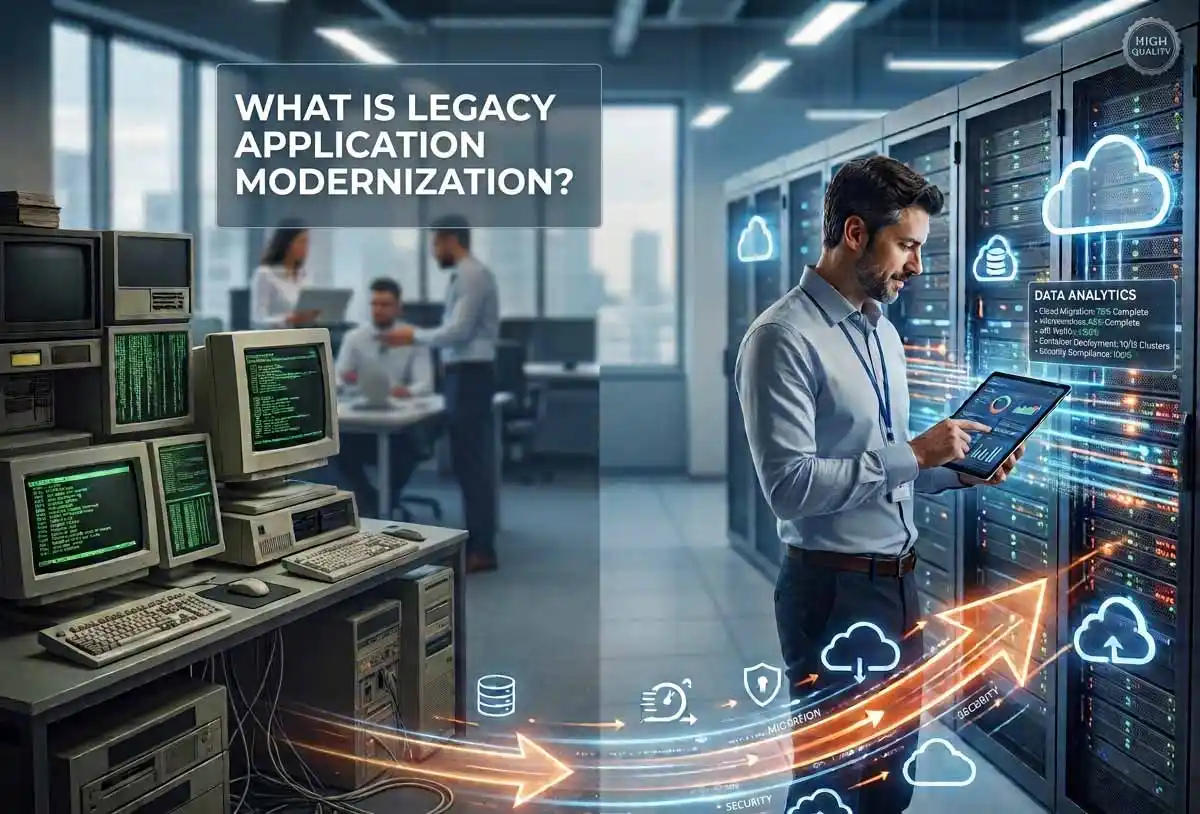

Legacy application modernization is the process of updating outdated software, whether through rehosting, refactoring, rearchitecting, or full replacement, so it can run on modern infrastructure, meet current security standards, and support new business needs. Instead of scrapping everything, most companies modernize in stages to protect existing investments while closing the gap with newer technology.
If you have ever sat through a meeting where someone says “the system still works, so why touch it,” you already understand the core tension behind legacy application modernization. Old software rarely fails all at once. It just gets slower, more brittle, and more expensive to keep alive, until one day the cost of doing nothing becomes higher than the cost of change. That tipping point is where most modernization conversations actually begin.
This guide walks through what legacy application modernization really means, why so many organizations are prioritizing it right now, the main approaches teams use, and how to think about cost, risk, and timeline before you commit to a plan. Firms like Bantech’s legacy system transformation team work with this exact problem daily, so a lot of what follows reflects patterns seen across real modernization projects, not just theory.
What Is Legacy Application Modernization, Exactly?
A “legacy application” is any software that is still running the business but was built on outdated technology, architecture, or infrastructure. It does not have to be ancient. A ten-year-old monolithic web application built on a framework nobody supports anymore counts just as much as a thirty-year-old mainframe system written in COBOL.
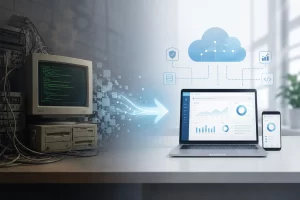
Legacy application modernization, then, is the deliberate process of upgrading that software so it aligns with current business needs, current security expectations, and current technology capabilities. It is not always about ripping everything out and starting over. In fact, most successful modernization projects are far more measured than that. They involve things like moving a workload to the cloud, rewriting a specific module, wrapping an old system with a modern API layer, or gradually swapping out pieces of a monolith without ever taking the whole system offline.
The goal is simple even if the execution is not: keep the parts of the system that still deliver value, fix or replace the parts that are holding the business back, and do it all without breaking what already works.
Why Legacy Systems Quietly Drain the Business

Legacy systems rarely announce their cost. They just accumulate it in the background, year after year, until leadership finally notices how much of the IT budget is going toward keeping old software alive instead of building anything new.
A few patterns show up again and again:
Rising operational costs. Old systems need more manual patching, more specialized support, and more workaround engineering than modern platforms. Every fix takes longer because the documentation is thin, the original developers are long gone, and nobody wants to be the one who breaks production.
Limited scalability. Many legacy applications were built for a fixed, predictable load. They were never designed to handle sudden traffic spikes, seasonal demand, or rapid business growth, which means scaling often requires expensive, hacky workarounds instead of simply adding capacity.
Security exposure. Old software tends to run on outdated frameworks, unsupported libraries, and operating systems that no longer receive security patches. That makes legacy systems an easier target, and a breach in a core business system is far more damaging than a breach in a modern, well-monitored one.
Poor compatibility with new technology. Cloud services, AI tools, and modern data analytics platforms generally expect clean APIs and structured data. Legacy systems often lock data away in formats or databases that were never meant to talk to anything outside themselves, which quietly blocks the business from adopting newer capabilities.
None of these problems are dramatic on their own. It is the accumulation of all four, year after year, that eventually forces a decision.
Signs Your Systems Are Overdue for Modernization
Not every older application needs to be touched right away. Some legacy systems are stable, low-risk, and genuinely fine to leave alone for now. The signals worth paying attention to usually fall into a few categories.
- Performance bottlenecks that show up during peak usage and never fully resolve
- Vendor or supplier support that has been discontinued or is winding down
- Maintenance costs that keep climbing year over year with no end in sight
- A shrinking pool of engineers who actually understand how the system works
- Frequent security or compliance flags during audits
- An inability to integrate with newer tools, platforms, or data sources
- User complaints about speed, reliability, or a clunky, outdated interface
If two or three of these show up together, that is usually a strong enough signal to start a modernization assessment, even if the project itself is still a year or two away.
The Main Approaches to Legacy Application Modernization
There is no single “right way” to modernize. Gartner’s widely referenced framework breaks modernization into seven distinct paths, commonly known as the seven Rs, ranked roughly from lowest risk and effort to highest. According to Gartner’s own analysis of legacy modernization options, the right approach depends entirely on the specific problem the organization is trying to solve, not a one-size-fits-all playbook.
Encapsulate. Wrap the existing application’s data and functions in an API layer so other modern systems can interact with it without touching the underlying code. This is often the fastest way to extend the life of a system that still works but needs to connect to newer tools.
Rehost. Move the application to new infrastructure, physical, virtual, or cloud, without changing its code or functionality. This is the classic “lift and shift” approach, and it is usually the quickest way to reduce infrastructure costs.
Replatform. Migrate to a new runtime environment with minor code adjustments, but without restructuring the application itself. Think of moving a database to a managed cloud service while keeping the application logic largely intact.
Refactor. Restructure and clean up the existing codebase to remove technical debt and improve performance, without changing how the application behaves from the outside.
Rearchitect. Make more substantial changes to shift the application onto a new architecture, such as breaking a monolith into microservices, in order to unlock new capabilities.
Rebuild. Redesign and rewrite the application component from scratch while preserving its original scope. This gives teams a clean slate but comes with more cost and more risk.
Replace. Retire the old component entirely and swap in a new solution, often a commercial off-the-shelf product, that better fits current and future needs.
Most organizations end up combining several of these approaches across different parts of their application portfolio rather than picking just one. A customer-facing module might get rearchitected for speed and flexibility, while a stable back-office system gets a simple rehost to cut infrastructure costs.
Legacy Modernization vs Digital Transformation: What Is the Difference?
These two terms get used almost interchangeably, but they are not quite the same thing. Legacy application modernization is a technical and operational effort focused on updating specific systems, infrastructure, and code. Digital transformation is broader. It covers how an entire organization uses technology to change its business model, customer experience, and internal processes.
Put simply, modernization is usually a required step inside a larger digital transformation strategy, not the whole strategy itself. You can modernize a system without transforming the business, but it is very hard to transform a business while still running on systems that cannot support modern workflows, data sharing, or automation.
A Practical Roadmap for Modernizing Legacy Applications
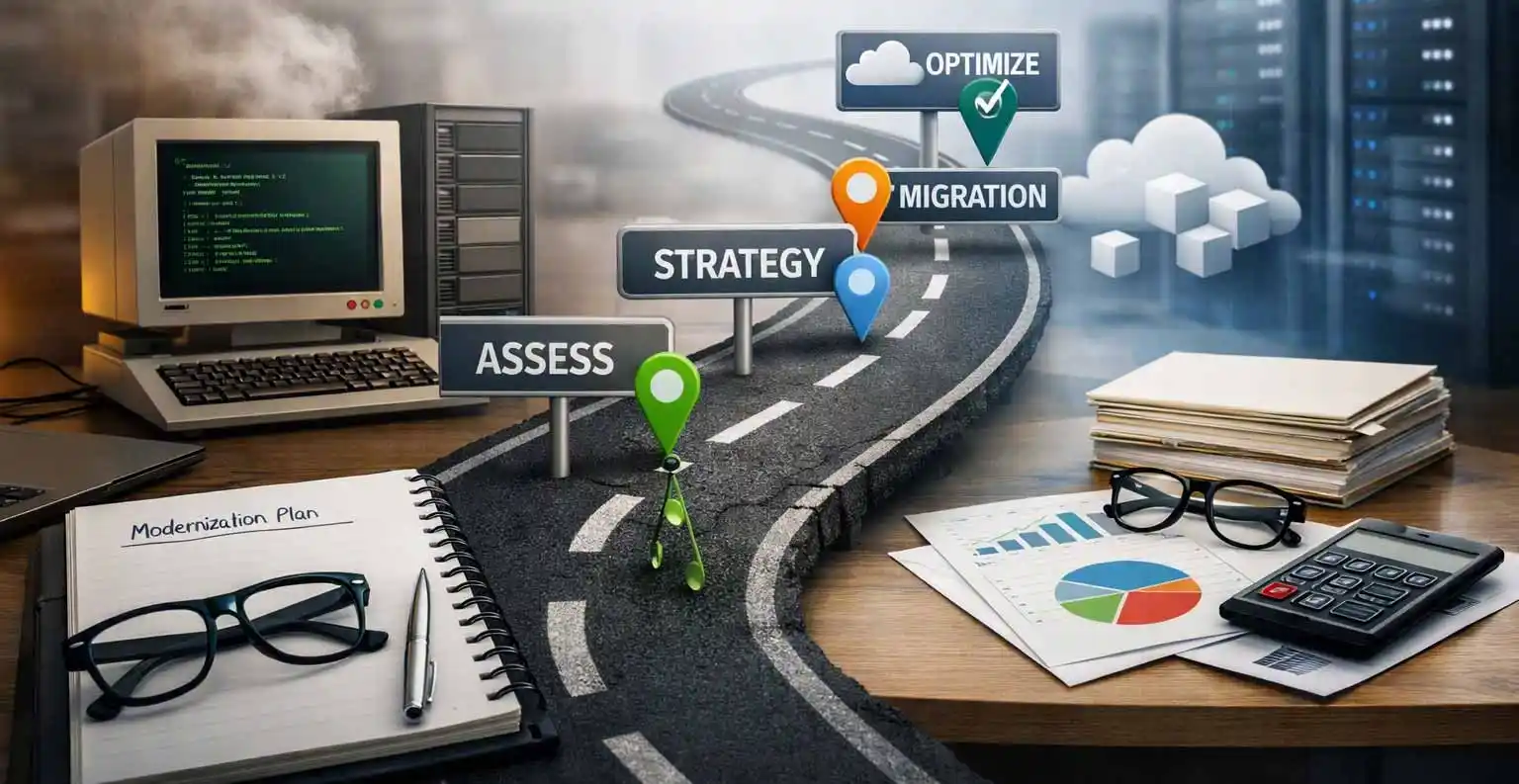
Most successful modernization projects follow a similar structure, even if the specific tools and timelines vary. AWS describes its own recommended approach as three broad phases: assess, modernize, and manage, and that framework maps closely to what works across most enterprise environments, according to AWS’s prescriptive guidance on application modernization strategy.
- Assess the current environment. Start with a full inventory of the application portfolio. Identify which systems are business-critical, which are rarely used, which are high-risk from a security standpoint, and which are quietly costing the most to maintain. This step also involves talking to the people who actually use the system every day, since they usually know where the real pain points are long before any dashboard shows it.
- Define clear objectives. Modernization for its own sake rarely goes well. Set specific, measurable goals such as reducing maintenance costs by a certain percentage, cutting deployment time, improving system uptime, or enabling integration with a new platform. These goals will shape which modernization approach makes sense for each application.
- Choose the right modernization strategy per system. Not every application needs the same treatment. Map each system against the seven Rs described above and choose the approach that balances risk, cost, and business value.
- Build a phased migration plan. Big-bang replacements are risky and expensive. A phased approach, migrating one module or workload at a time, lets teams validate each step before moving to the next, and it keeps the business running throughout the process.
- Migrate data carefully. Data migration is often the most underestimated part of any modernization project. It requires mapping old data structures to new ones, cleaning up years of inconsistencies, and testing thoroughly to make sure nothing is lost or corrupted along the way.
- Test relentlessly before cutover. Parallel running, where the old and new systems operate side by side for a period of time, is one of the most effective ways to catch issues before they affect real users.
- Monitor and optimize after launch. Modernization does not end at go-live. Ongoing monitoring, patching, and performance tuning are what keep a newly modernized system from slowly turning into tomorrow’s legacy problem.
The Real Benefits of Legacy Application Modernization
When done well, modernization pays off in ways that go beyond just “newer technology.”
Lower long-term costs. Cloud-native and modernized systems typically cost less to run and maintain than aging on-premises infrastructure, since they reduce hardware dependency and often shift to more predictable, usage-based pricing.
Better scalability. Modern architectures can flex up or down with demand instead of requiring expensive over-provisioning just to handle occasional peak traffic.
Stronger security posture. Updated systems can take advantage of current encryption standards, patch management, and compliance frameworks, closing gaps that older software simply cannot address.
Faster time to market. Teams working on modernized systems can ship new features and updates far more quickly, since they are not fighting against brittle, poorly documented legacy code every time they make a change.
Improved employee and customer experience. Faster, more reliable systems reduce frustration on both sides of the business, from internal staff waiting on a slow tool to customers dealing with a clunky interface.
Readiness for AI and automation. Modern systems with clean APIs and structured data are far better positioned to integrate with AI tools, analytics platforms, and automation pipelines, which is quickly becoming a competitive necessity rather than a nice-to-have.
Challenges and Risks Worth Planning For
Modernization is worth doing, but it is not without friction. Being honest about the risks upfront makes it far easier to manage them.
- Business disruption during migration. Even a well-planned project can cause temporary slowdowns if the transition is not carefully staged.
- Data loss or corruption risk. Migrating years of accumulated data between systems always carries some risk, which is why thorough testing matters so much.
- Underestimated timelines and budgets. Legacy systems are often more tangled and interdependent than anyone realized, and hidden complexity has a way of surfacing mid-project.
- Resistance from internal teams. Employees who have worked around a system’s quirks for years may be skeptical of change, so clear communication and training go a long way.
- Vendor and integration dependencies. Legacy systems are often connected to other tools in ways that are not well documented, and untangling those dependencies takes time.
None of these are reasons to avoid modernization altogether. They are reasons to plan carefully, bring in experienced partners where needed, and avoid rushing the process just to hit an arbitrary deadline.
What Does Legacy Application Modernization Actually Cost?
Costs vary enormously depending on the scope, the approach chosen, and the complexity of the existing system. As a general guide:
- A simple rehost or lift-and-shift project can run anywhere from roughly ten thousand to fifty thousand dollars for smaller applications.
- Replatforming efforts, which involve more moderate changes, often land between thirty thousand and one hundred thousand dollars.
- Refactoring a codebase to remove technical debt while preserving functionality typically falls between fifty thousand and one hundred fifty thousand dollars.
- Full rearchitecting or ground-up rebuilds can range from one hundred thousand dollars well into the millions, depending on the size and complexity of the system.
These figures are rough benchmarks, not fixed quotes. A proper technical assessment, including a code audit, infrastructure review, and gap analysis, is the only reliable way to land on an accurate budget for a specific project.
Choosing a Modernization Partner
Given how much can go wrong without the right expertise, most organizations choose to bring in an experienced technology partner rather than tackling large-scale modernization entirely in-house. A good partner should be able to run a comprehensive assessment of the existing environment, build a phased roadmap tailored to the business rather than a generic template, and stay involved through data migration, testing, and post-launch support.
Teams like the ones at Bantech typically start with that kind of full audit before recommending a specific path, since jumping straight to “let’s rebuild everything” without understanding the current environment tends to create more problems than it solves. If your organization is at the point of weighing options, it is worth reaching out to a modernization specialist to walk through where your systems currently stand before committing to a direction.
Industry-Specific Considerations
Modernization does not look the same across every sector, since the constraints and priorities shift depending on the industry.
Finance and banking organizations tend to prioritize regulatory compliance, transaction speed, and airtight security above almost everything else, given the sensitivity of the data involved.
Healthcare systems have to balance modernization with strict patient data protection requirements, meaning any migration plan needs compliance built in from day one rather than bolted on afterward.
Manufacturing companies often focus on connecting legacy production systems with newer IoT sensors and predictive maintenance tools, since real-time visibility into equipment health has become a major competitive advantage.
Retail and e-commerce businesses usually push modernization toward improving the customer-facing experience, from checkout speed to personalized recommendations, since those improvements have a direct, measurable impact on revenue.
Logistics operations tend to modernize around route optimization, fleet tracking, and real-time visibility, since delays in those systems ripple out into missed deliveries and unhappy customers.
Frequently Asked Questions
How long does legacy application modernization take?
Timelines vary widely based on scope. A simple rehosting project might take just a few weeks, while a moderate replatforming or refactoring effort often spans two to four months. Full rearchitecting or rebuilding projects can take anywhere from six months to well over a year, particularly for large, deeply interconnected systems.
Can legacy systems be modernized without replacing them entirely?
Yes, and this is actually the more common path. Techniques like encapsulation, where the old system is wrapped in a modern API layer, let organizations extend the life of existing software while still connecting it to newer platforms and tools.
Is cloud migration the same thing as application modernization?
Not exactly. Cloud migration is one possible piece of a broader modernization effort, but moving an application to the cloud without also updating its architecture, often called a “lift and shift,” does not automatically solve the underlying problems that made the system a legacy liability in the first place.
What is the biggest risk in a modernization project?
Underestimating complexity. Legacy systems accumulate hidden dependencies over years of patchwork fixes, and those dependencies have a habit of surfacing mid-project, which is why a thorough upfront assessment matters so much.
How do I know if my organization actually needs modernization right now?
If maintenance costs keep climbing, performance issues keep surfacing, security audits keep flagging concerns, or the system simply cannot integrate with newer tools the business wants to adopt, those are strong signals that the modernization conversation should start soon.
Final Thoughts
Legacy application modernization is not a one-time project with a clean finish line. It is an ongoing discipline of keeping systems aligned with the pace of business and technology change, rather than letting technical debt quietly pile up until it becomes a crisis. The organizations that handle this well tend to treat modernization as a continuous, prioritized effort rather than something they scramble to address only after a major outage or security incident forces their hand.
Start with an honest assessment of where your systems actually stand today. From there, the right modernization approach, whether that is a quick rehost, a deeper refactor, or a full rebuild, becomes a lot easier to see clearly.